
How to Calculate Age from Date of Birth? Step-by-Step Guide
If you want to determine your exact age, you have come to the right place. Knowing your precise age is helpful—and often essential—for various tasks, such as applying for government schemes, undergoing surgery, seeking employment, or securing admission to an institution. Figuring out your exact date of birth is a very simple process.
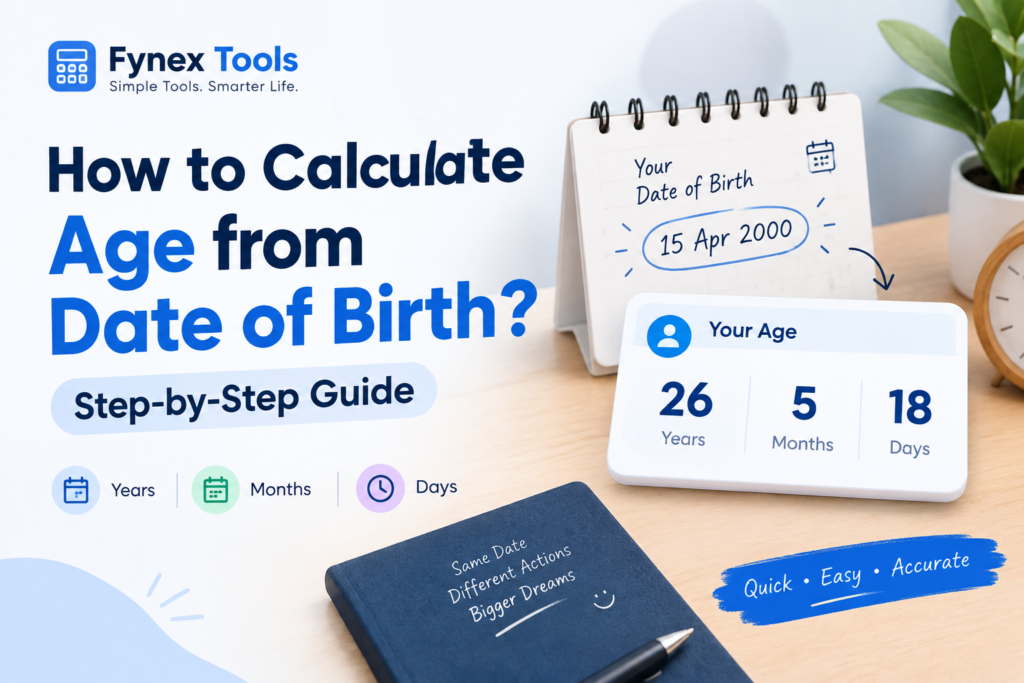
While you can calculate your age yourself, using an age calculator is a great option if you want absolute accuracy. It provides a quick, precise result without any errors.
In this blog, we will explain how to calculate age from date of birth and show you an easy way to find out your exact age online.
What Is an Age Calculator?
An age calculator is an online tool that calculates a person’s age using their date of birth (DOB) and a selected date.
For example, if you enter your date of birth as 15 March 2000 and today’s date as 2 October 2026, the calculator can tell you your exact age in:
- Years
- Months
- Days
- Total days lived
This is more convenient than calculating everything manually.
How to Calculate Age from Date of Birth
There are two common ways to calculate your age: manually or by using an online calculator.
Let’s understand both methods.
Method 1: Calculate Your Age Manually
To calculate your age manually, you need two dates:
Date of Birth: Your birth date
Current Date: The date on which you want to calculate your age
For example:
Date of Birth: 10 August 2002
Current Date: 2 October 2026
Step 1: Calculate the Years
First, subtract the birth year from the current year:
2026 – 2002 = 24 years
However, this does not automatically mean that the person’s age is 24.
You also need to check whether the birthday has already occurred in the current year.
The birthday was on 10 August, and the current date is 2 October, so the birthday has already passed.
Therefore, the person is 24 years old.
Step 2: Calculate Months and Days
After calculating the completed years, you can calculate the remaining months and days.
From 10 August 2026 to 2 October 2026:
- 10 August to 10 September = 1 month
- 10 September to 2 October = 22 days
So the exact age is approximately:
24 years, 1 month and 22 days
An online calculator can perform this calculation automatically and give you the exact result.
Method 2: Use an Online Age Calculator
The easiest way to calculate your exact age is to use an online age calculator.
With Fynex Tools Age Calculator, you simply enter your date of birth and select the date on which you want to calculate your age.
The tool can then calculate your age without requiring manual calculations.
How to Use an Age Calculator
Follow these simple steps:
- Open the Fynex Tools Age Calculator.
- Enter your date of birth.
- Select the date you want to calculate your age on.
- Click the calculate button.
- Check your age in years, months, and days.
This method is especially useful when you need a quick result.
How Does Age Calculation Work?
Age calculation is basically the difference between your date of birth and another date.
For a simple year calculation:
Current Year − Birth Year = Age
But there is one important condition.
If your birthday has not happened yet in the current year, one year needs to be subtracted from the result.
For example:
Current Year: 2026
Birth Year: 2000
2026 − 2000 = 26
But if the person’s birthday is still coming later in 2026, their current age is 25, not 26.
This is why calculating only the difference between two years may sometimes give the wrong age.
How to Calculate Age in Years, Months and Days
If you want your exact age rather than just your age in years, you need to calculate the difference between the two complete dates.
For example:
Date of Birth: 20 January 2001
Calculation Date: 2 October 2026
The result can be expressed as:
25 years, 8 months and 12 days
This type of calculation is useful when you need a more precise age rather than a rounded number.
How to Calculate Age on a Specific Date
Sometimes you may want to know how old you were on a particular date.
For example, you may want to know:
- Your age when you finished school
- Your age on a particular birthday
- Your age when you started college
- Your age on an exam date
- Your age on a previous date
For this, simply use the date you want to check as the calculation date instead of today’s date.
This makes an age calculator useful for more than just checking your current age.
Why Is Accurate Age Calculation Important?
Age may be required for many everyday and official purposes.
Government Exams and Jobs
Many government examinations have age limits and specific cut-off dates. Your eligibility may depend on your date of birth and the age calculation rules mentioned in the official notification.
Always check the relevant official notification because the applicable cut-off date and age-relaxation rules can vary by examination.
School and College Admissions
Age can also be relevant when applying for schools, colleges, or other educational programs.
Documents and Applications
Some forms ask for your date of birth or age. Having your exact information can help you avoid entering an incorrect age.
Personal Planning
You can also use an age calculator to find your age on a future date or calculate the number of days remaining until your next birthday.
Common Mistakes When Calculating Age
Manual age calculation looks easy, but some mistakes are common.
1. Only Subtracting the Years
A common mistake is:
2026 – 2000 = 26
This can be incorrect if the birthday has not happened yet.
2. Forgetting the Birthday
Always compare the birth month and day with the calculation date.
3. Confusing Birth Date and Current Date
Make sure you enter the correct date of birth and calculation date.
4. Ignoring Leap Years
When calculating the exact number of days between two dates, leap years can affect the result.
5. Using the Wrong Date Format
Different countries and websites may display dates differently. Check whether the format is DD/MM/YYYY or MM/DD/YYYY before entering your information.
Frequently Asked Questions
How do I calculate my age from my date of birth?
Subtract your birth year from the current year and check whether your birthday has already occurred. For an exact result in years, months, and days, use an online age calculator.
Can I calculate my age on a past date?
Yes. Enter the past date as the calculation date. The calculator can determine how old you were on that date.
Can an age calculator calculate future age?
Yes. If the calculator supports a custom calculation date, you can enter a future date to see your age on that date.
How is age calculated in years?
Age in completed years is generally calculated by comparing the birth date with the date on which the age is being calculated. If the birthday has not occurred yet during that year, the completed-year age is one less than the simple year difference.
Is an online age calculator accurate?
An age calculator can provide an accurate result when the correct dates are entered and the tool uses proper date calculations. For official purposes, however, follow the age calculation rules and cut-off date specified by the relevant organization.
Conclusion
Calculating age from a date of birth is simple when you only need the number of completed years. However, calculating the exact difference in years, months, and days manually can become confusing.
If you need a quick result, an online Age Calculator is a convenient option. Just enter your date of birth, select the calculation date, and let the tool do the calculation for you.
For official applications such as government exams or jobs, always check the relevant notification for the exact age limit and cut-off date rather than relying only on a general age calculation.